Android app version 1.5 free
Save an article. Read it clean, offline, on your phone alone.
FoldPage takes any link you share with it, strips the ads, banners and cookie walls, and keeps the article in your phone's storage. No account, no cloud, no tracking — the library never leaves the device.
Signed APK, 1.4 MB · Android 7.0 or newer · no permissions beyond internet access and vibration.
Three steps, then it's yours
Everything after the first step happens on the phone. There is no server in the picture.
-
Step one
Share the link
Hit Share in your browser, a feed reader or a chat, and pick FoldPage. The app takes it from there in the background.
-
Step two
The page loses its clutter
FoldPage fetches the page and keeps the article — text and images. Ads, banners, newsletter pop-ups and cookie walls stay behind.
-
Step three
Read it whenever
Saved articles live in the app's private storage. Underground, on a plane, or two years from now — no network needed.
What it looks like
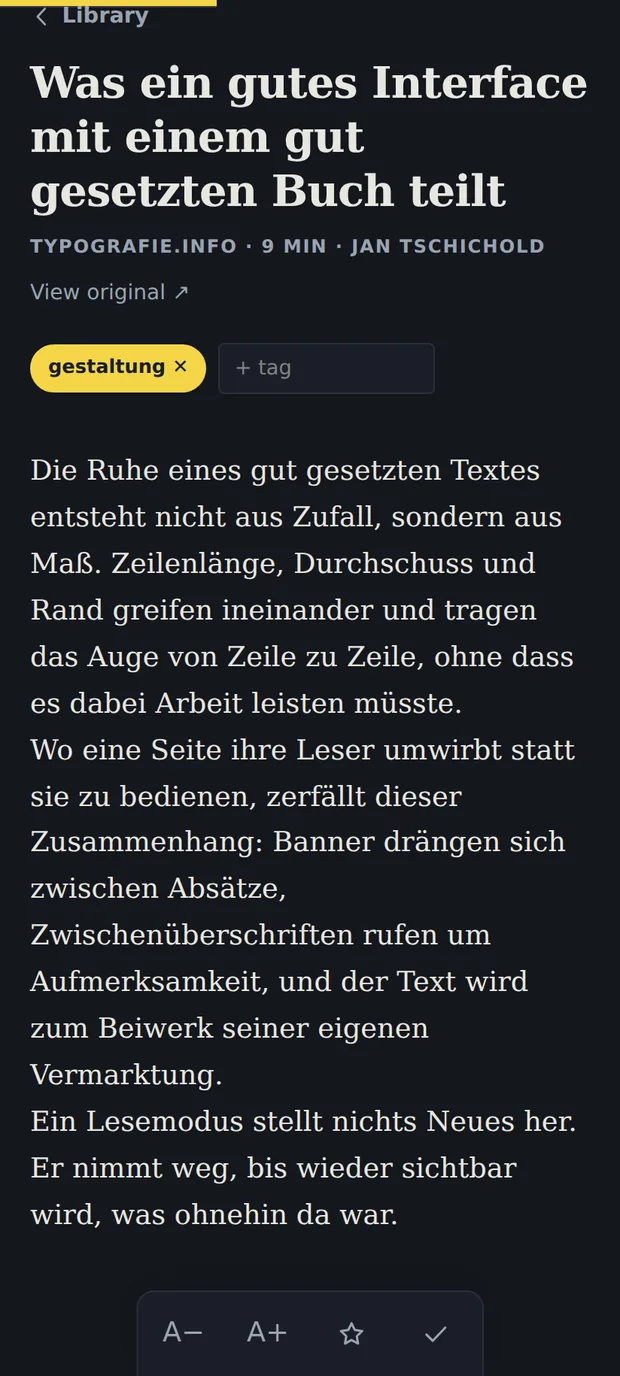
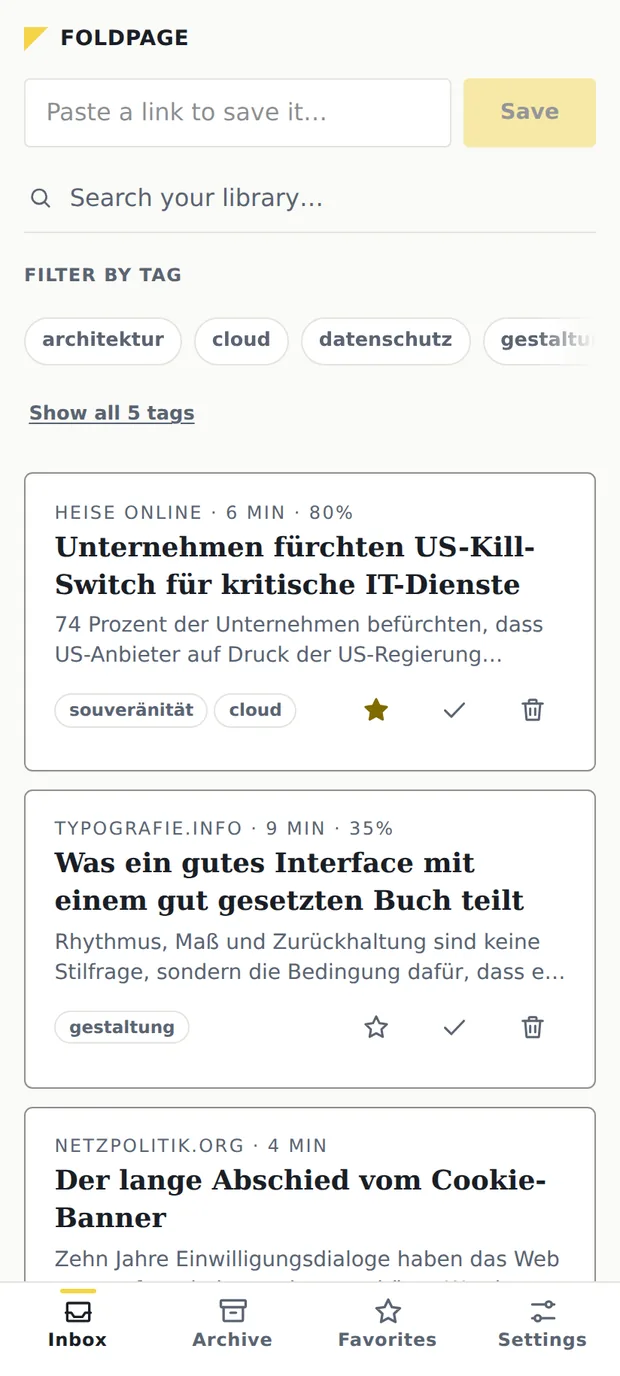
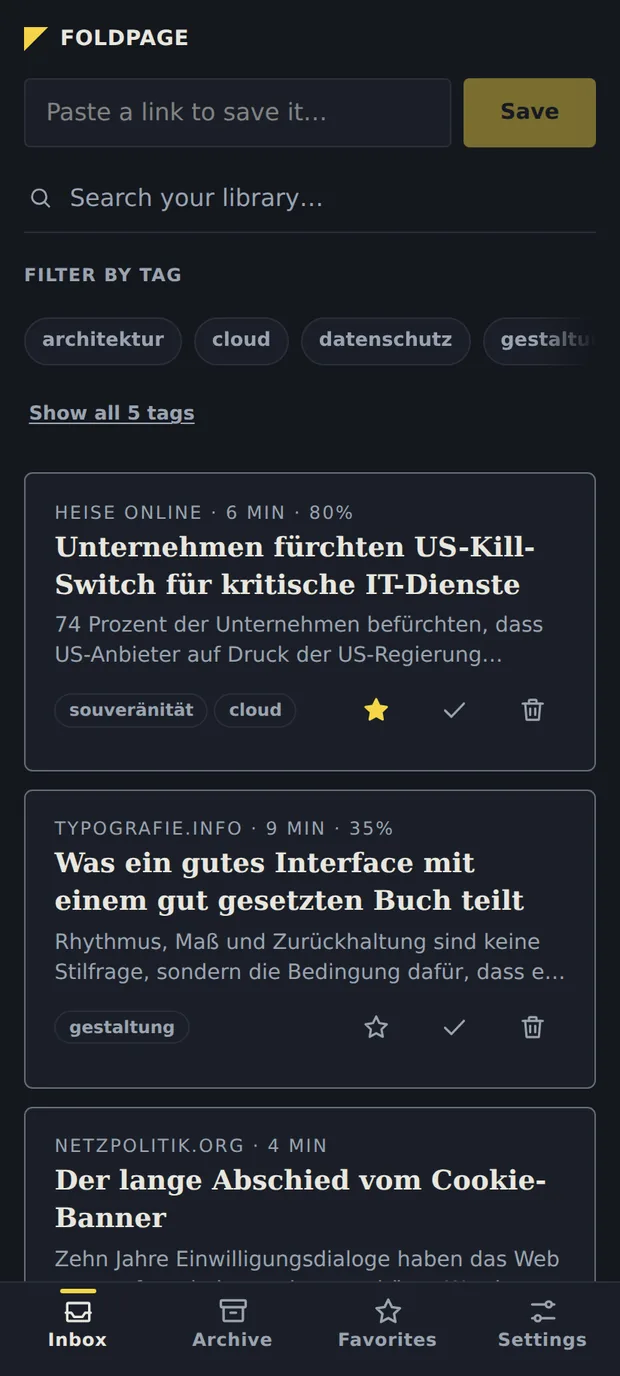
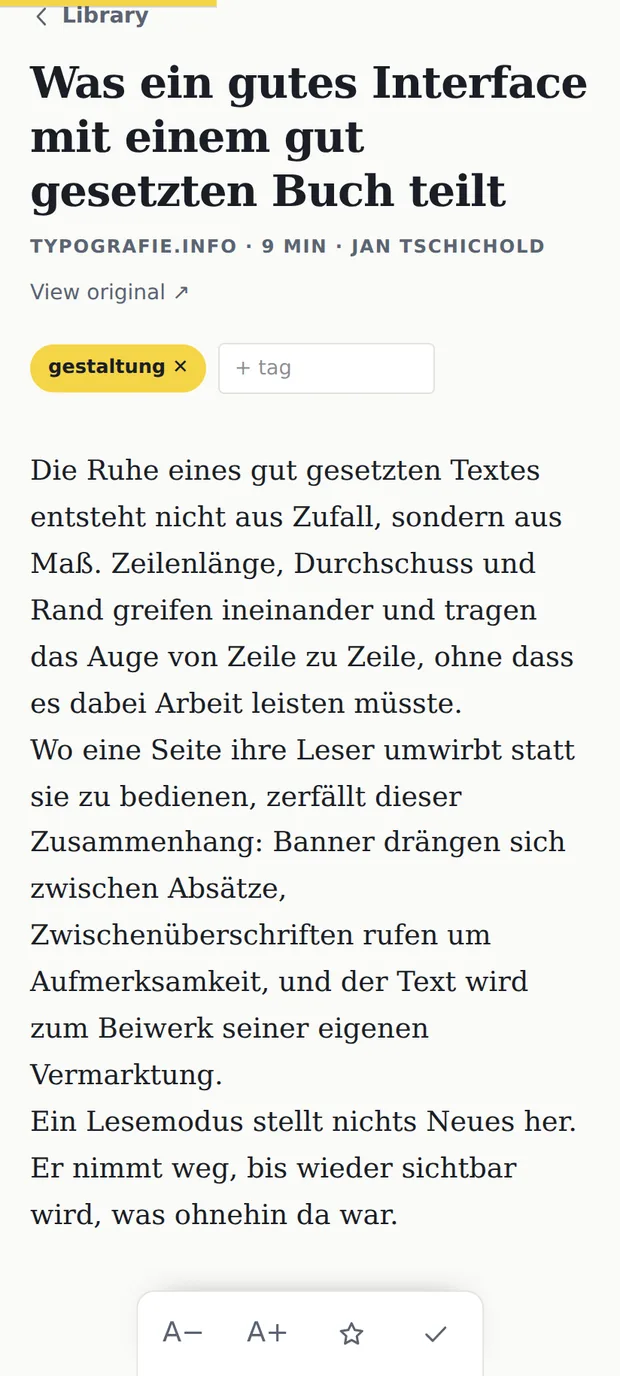
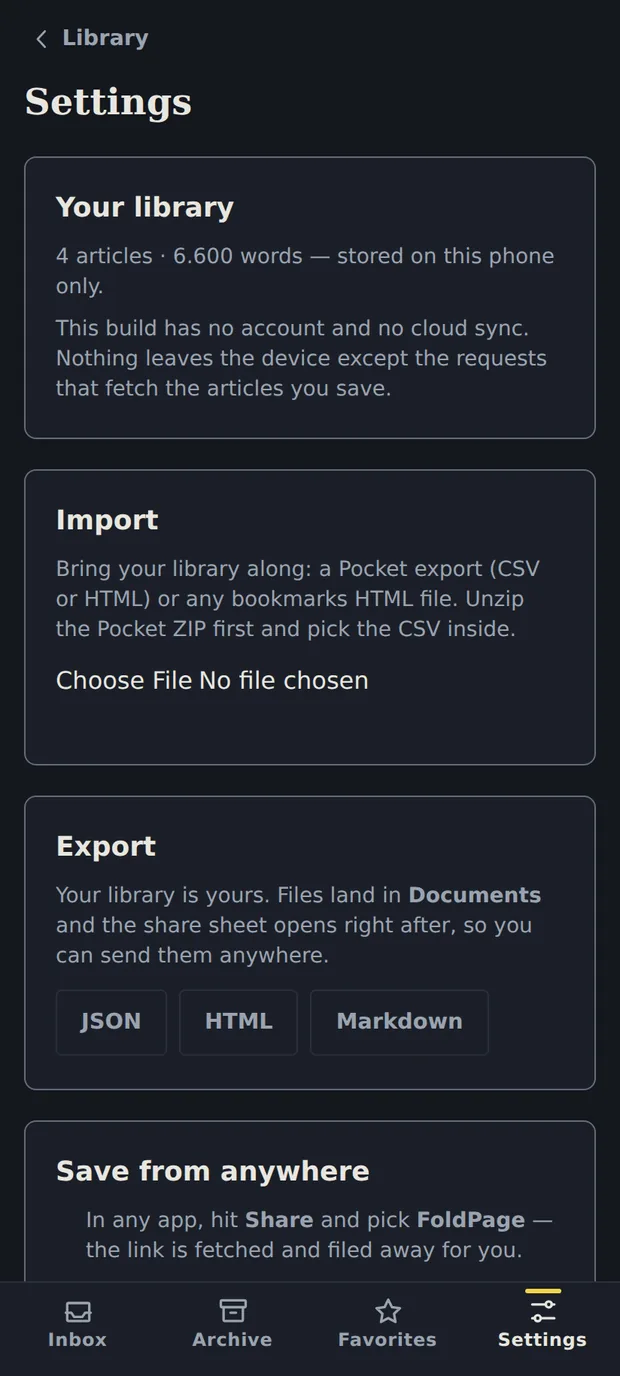
Real screens from version 1.5. The theme follows your system setting.
What's in the app
The whole app ships inside the 1.4 MB download. Nothing is fetched later, nothing is unlocked by paying.
Share to save
FoldPage sits in the Android share sheet. One tap from any app and the link is fetched and filed away.
A real reader
Serif body text built for long reading, four text sizes, light and dark following your system theme.
Picks up where you stopped
Scroll position is remembered per article, and a progress bar shows how far into it you are.
Sorted the way you think
Inbox, Archive and Favorites, plus free-form tags and full-text search across every saved body.
Deleting is undoable
A toast with Undo, not a dialog asking you twice. Mistakes cost one tap to reverse.
Bring your old list
Import a Pocket export (CSV or HTML) or any bookmarks file. Export to JSON, HTML or Markdown whenever you want.
Offline by construction
After saving, nothing needs a network — not the library, not search, not the reader.
Measured, not assumed
The reader is checked against 39 real articles from 22 sites on every build: 78 renders, 42 table checks, no failures.
Says what it is
A welcome on first launch explains how a link gets in, what comes back, and where it stays. Then it gets out of the way.
No account. No cloud. No analytics.
This is not a policy promise, it's what the app can and cannot do. The Android version has no sync and no server on purpose.
- One kind of outbound request: fetching a page you asked it to save. That's the entire network activity.
- Two permissions:
INTERNETandVIBRATE. That is the complete list. - No analytics, no crash reporting, no ad SDK — nothing that reports back, not even anonymously.
- Your library stays in the app's private storage and is never uploaded anywhere.
- Export is always one tap away — JSON, HTML or Markdown, straight to your Documents folder.
- If FoldPage disappeared tomorrow, your library wouldn't. It was never anywhere else.
Installing it
Until the Play Store listing is live, the app is installed from the release page. Two prompts along the way are normal.
- Download foldpage-1.5.apk from the releases page on your phone.
- Open the file and confirm the install.
- “Allow installs from this source?” — Android asks this once for whichever app handed over the APK, usually your browser or file manager. Allow it, then install.
- A Play Protect notice — Google flags every app it hasn't seen before. Tap Install anyway. If you want certainty about who built the file, verify the signature.
- Coming from version 1.4? Uninstall it first. 1.5 is signed with the Play upload key, so Android refuses to install it over the older certificate.
Verify the download
apksigner verify --print-certs foldpage-1.5.apkThe signing certificate's SHA-256 fingerprint:
84:50:48:E1:19:8E:0C:8C:2C:88:34:68:CD:14:14:46:03:13:76:4A:4A:CB:C7:CE:3A:D0:46:99:B0:A9:72:72If it doesn't match, the file isn't the one built here.
On its way to Google Play
The listing is submitted and version 1.5 carries the Play upload key. What's left is Google's side: the closed test it requires before a first release, then review. Leave your email and you'll hear once — the day it's installable from Play.
One email at the Play launch. Nothing else, ever. You can also just install it today — same app.
Fair questions
Does it sync between my phone and my laptop?
No. The Android app is local-only by design: no account, no server, nothing to sync through. That's the trade for a library nobody can switch off. Moving between devices works through export and import.
Can I import my old Pocket library?
Yes. Settings takes a Pocket export as CSV or HTML, and any bookmarks file. Your list comes back with its links intact.
What does it cost?
Nothing. There is no paid tier, no subscription and no in-app purchase in the Android app. Every feature listed on this page is in the free download.
Why isn't it on the Play Store yet?
The listing is in. Google requires personal developer accounts to run a closed test with 12 testers over 14 consecutive days before a first release, and review follows that. The app itself is ready — it targets API 36 and ships no native libraries.
What about iPhone?
Not yet. FoldPage for Android is where the work is going right now, and there is no iOS build to promise a date for.
Is it open source?
The code is public on GitHub, but the licence is not an open source one: free to use, not free to modify or redistribute. The libraries it builds on keep their own licences.
You're one developer. What if you stop?
Then nothing of yours disappears. The articles are on your phone, the export works without any server, and the app keeps running exactly as installed.